HitDM
AI assistants (beta)
Connect Claude, ChatGPT or Cursor to your Instagram DM automations
By Amit Dobal, founder of HitDMUpdated
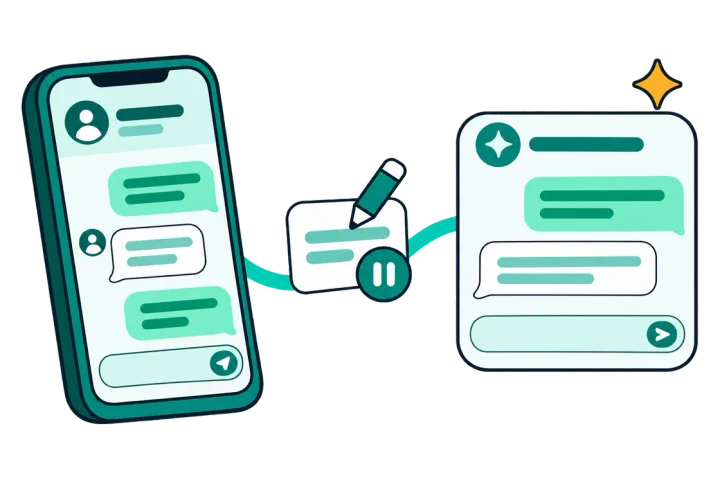
Ask your AI app which reel sells, who commented, or to draft next week's automation. HitDM's MCP server lets it read your automations, stats and leads and draft new automations that wait, paused, for your review. It can read and draft. It can't send.
Beta for invited accounts. Reading works on every plan, Free included.

- 11tools: 7 read, 4 change
- 0DMs an AI app can send
- 100tool calls a day on Free
What can my AI assistant do with HitDM?
MCP (Model Context Protocol) is the open standard AI apps use to connect to other tools. Connect HitDM once and your AI app can read your account and make a few careful changes, each one easy to undo.
- LINK214 taps38% tap rate
- GUIDE131 taps29% tap rate
- PRICE57 taps17% tap rate
Reads
- See your plan and how much of it you have used
- List your automations with DMs sent and link taps
- Show sends, taps and tap rate for one automation over the last 7 or 14 days
- List your recent posts and reels so a draft can point at one
- List contacts with Instagram username and name
Changes, always reviewable
- Create a new automation as a paused draft
- Pause an automation
- Edit the DM text and link of a paused automation
Ask it like this
Real prompts for the people HitDM is built for, and what happens next.
Ebook seller
“Draft an automation for the keyword GUIDE on my next reel that sends my ebook link.”A paused draft lands in HitDM with a link for you to review it. Nothing sends until you turn it on.list_recent_posts · create_automationCoach
“Who commented CALL yesterday, and which automation got the most link taps in the last 14 days?”A list of contacts with usernames and names (email and phone masked), plus taps per automation.list_contacts · get_automation_statsOnline shop
“The sale is over. Pause the BLACKFRIDAY automation, then compare SIZE and PRICE tap rates for the last 14 days.”The automation pauses right away and you get an email with a one-click Resume. Then a side-by-side of both keywords.pause_automation · get_automation_statsAgency
“Summarize sends, taps and leads per automation for the last 7 days.”One connection per client workspace, so each Monday summary covers one client and nothing leaks across.list_automations · get_automation_stats · list_contacts








Affiliate creator
“Swap the link in my paused LINK automation for my new storefront link.”The DM text and link change on the paused automation. Editing a live one needs the owner switch.update_dm_messageCreator on Free
“How many DMs do I have left this month?”Reading works on every plan, Free included.get_plan_usageAgency developer in Cursor
“Pull last week's automation stats into my client report script.”Stats come back as structured data you can use while you code.list_automations · get_automation_stats

How to connect
https://mcp.hitdm.com/mcpClaude
We tested these steps on hitdm.com on 2026-11-21.- Step 1: Open Settings, then Connectors.
- Step 2: Choose Add custom connector and paste the server URL.
- Step 3: Choose Connect. A HitDM page opens.
- Step 4: Sign in with Google, pick the workspace and permissions, then choose Allow.
ChatGPT
These steps follow OpenAI's help pages. We have not tested ChatGPT ourselves yet, and the menu names and plan rules are OpenAI's to change.- Step 1: Turn on developer mode in Settings, Apps and connectors, Advanced settings.
- Step 2: Create a connector with the server URL and OAuth sign-in.
- Step 3: Sign in with Google on the HitDM page, pick the workspace and permissions, then choose Allow.
Cursor
These steps follow Cursor's docs. We have not tested Cursor ourselves yet.- Step 1: Open Settings, then Tools and MCP, and choose Add custom MCP. Or add the server to ~/.cursor/mcp.json as shown.
- Step 2: Choose Connect next to hitdm. A browser window opens.
- Step 3: Sign in with Google, pick the workspace and permissions, then choose Allow.
{
  "mcpServers": {
    "hitdm": { "url": "https://mcp.hitdm.com/mcp" }
  }
}
What it can't do, and why
Your automations do the sending. The AI app reads, drafts and pauses, so a bad prompt can't reach your followers.
- Send a DM, reply to a comment or message anyone
- Read your inbox or export your contacts
- Touch billing, your plan, account deletion or your Instagram connection
- Turn an automation on, unless the owner switch below is on
- Turn on a link to a website your live automations do not already use. You approve new links in the dashboard
- See email or phone numbers, unless the owner turns on Full contact details
- See Instagram account IDs or access tokens. Those never leave HitDM
Disconnect any AI app at any time in Settings, Connected apps. What we share, and why, is in our privacy policy.
Two switches only the owner can turn on
- Lets a connected AI app see your contacts' email and phone numbers. Without it they stay masked.
Full contact details
Off by default - Lets a connected AI app turn a paused automation on and edit live ones. You get an email each time, with a one-click pause link. Not available on Free.
Allow AI assistants to turn automations on
Off by default
Only the workspace owner can switch them on, after a fresh sign-in, in Settings, Connected apps.
Limits by plan
| Plan | Tool calls a day | Changes a day | Connected AI apps |
|---|---|---|---|
| Free | 100 | Read only | 1 |
| Starter | 500 | 20 | 2 |
| Pro | 2,000 | 100 | 3 |
| Growth | 2,000 | 100 | 5 |
| Business | 4,000 | 300 | 10 |
Limits reset at 00:00 UTC. AI use never pauses your DMs and does not count toward your DM allowance. Every limit, including contact rows and turn-on limits, is in the Terms fair use section.
Related: Comment to DM · Lead capture · Tracked links and analytics · For creators · For coaches · For D2C brands · For agencies · Pricing · MCP server reference
FAQ
Does HitDM have an MCP server?
Yes. It is in beta at https://mcp.hitdm.com/mcp and open to invited accounts. MCP (Model Context Protocol) is the open standard AI apps such as Claude, ChatGPT and Cursor use to connect to other tools.
Can Claude or ChatGPT send Instagram DMs through HitDM?
No. Your automations send the DMs. The AI app can read your automations, stats and contacts, draft new automations as paused drafts, pause automations and edit the DM text of paused ones.
How do I connect ChatGPT to my Instagram comment automations?
Turn on developer mode in ChatGPT, create a connector with the URL https://mcp.hitdm.com/mcp and OAuth sign-in, then sign in with Google on the HitDM page and choose Allow. You need a HitDM account with beta access and a connected Instagram Business or Creator account.
Is it safe for my Instagram account?
The AI app only talks to HitDM. It never touches Instagram directly and never gets your Instagram IDs or tokens. HitDM uses Meta's official API, and your automations keep running the same way they do today.
Is the HitDM MCP server free?
Reading works on the Free plan, with 100 tool calls a day and one connected AI app. Drafts, pauses and edits need a paid plan. Every daily limit is published in our Terms.
Can my AI assistant turn an automation on by itself?
Only if the workspace owner turns on Allow AI assistants to turn automations on. It is off by default and not available on Free, and the owner gets an email each time, with a one-click pause link.
What data does my AI assistant see?
Your automations and their DM text, their DM and click stats, and your contacts' Instagram usernames and names. Email and phone numbers stay masked unless the owner turns on Full contact details. Instagram account IDs and tokens are never shared.
Is there a ManyChat MCP server?
As of November 2026 we found only third-party wrappers for ManyChat, not one built by ManyChat. HitDM's MCP server is built into HitDM and uses the same sign-in as your account.